Temp Mail - Temporary Email
- 4.6
- Rating
- 10.00M
- Installs
- Free
- Price

 Analysis by App-foxy
When my main inbox starts filling with newsletters, one-time confirmations, and websites I may never visit again, I prefer not to hand out my everyday address. Temp Mail - Temporary Email is built for that exact situation: it gives me a disposable address for short-lived sign-ups while keeping my personal mailbox separate. I found it most useful as a quick communication tool rather than a replacement for a normal email account.
The app is free to install, aimed at Everyone, and comes from Privatix Limited. Its store summary focuses on keeping a real inbox clean, and that description matches the practical appeal I noticed: I can use a temporary address when I need to receive a message but do not want an ongoing relationship with the sender.
How Temp Mail feels in everyday use
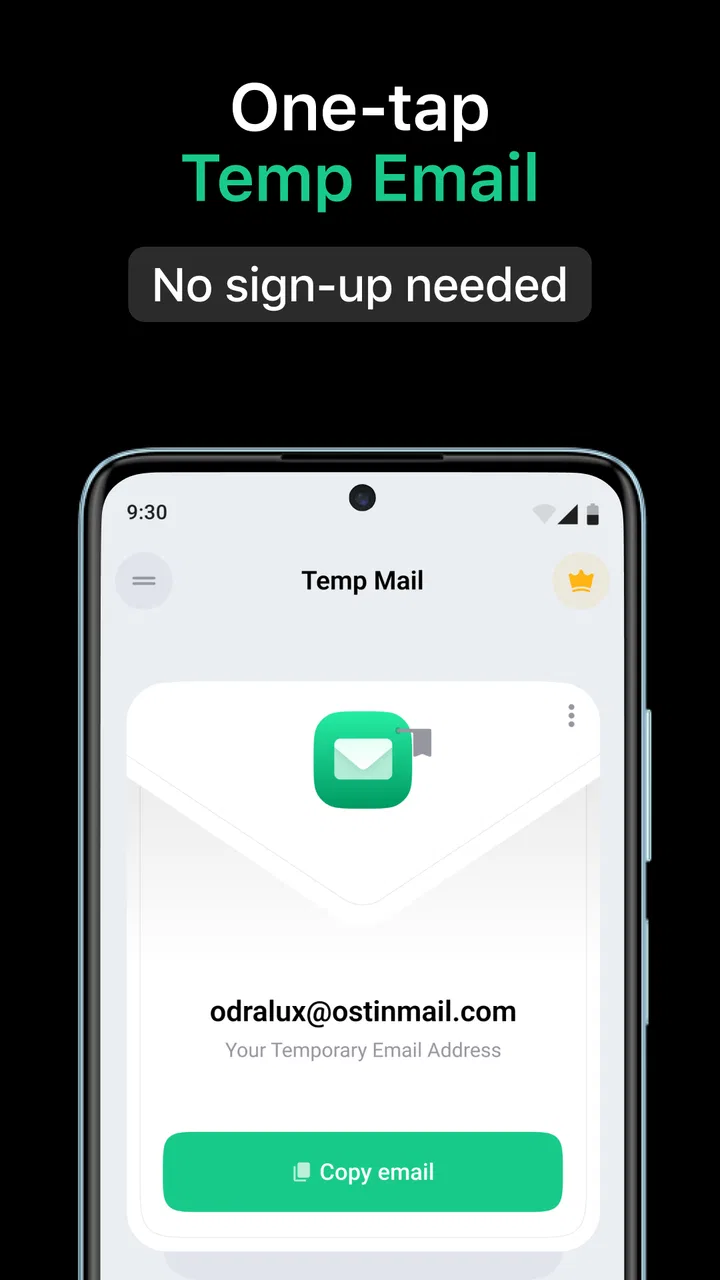
The first thing I look for in a disposable email app is speed. A temporary address only helps if I can get it ready before the website’s sign-up form times out or I lose track of the browser page. In my experience, this app is designed around that short workflow: open it, use the generated mailbox, and check it when a confirmation message is expected.
You May Also Like

 Blood Strike: 2.5 Anniversary
Blood Strike’s Loadouts Turn Every Drop Into a Tactical Gamble
A close look at Blood Strike’s custom loadouts: how fast access to signature weapons reshapes its battle royale rhythm, rewards preparation, and narrows the gap between fights.

 Pandora - Music & Podcasts
Pandora’s Music Is Easy to Start, but Harder to Recover
Pandora’s strength is its low-effort path from a seed to a station. Its weak spot is how much confidence it asks you to place in connection, setup, and quiet recovery.

 8 Ball Pool
 Is Built on Rivalries, Rematches, and Routine
A close look at the rivalries, rematches, shared routines, and unanswered safety questions that turn a quick pool match into a persistent mobile community.

 Samsung Music
’s Quiet Strength Is Playing What You Already Own
Its reach comes less from spectacle than from dependable access to a personal library. That simplicity is both the app’s strongest retention engine and its ceiling.

 AccuWeather: Weather Radar
AccuWeather Review: A Quick, Clear Forecast for Everyday Decisions
For everyday plans, the best forecast is the one you can understand quickly. AccuWeather makes rain timing, radar, and local conditions easy to act on, with a few trade-offs.

 Hill Climb Racing
Why Hill Climb Racing Still Turns Crashes Into One More Run
A tiny car, a bumpy hill and one more upgrade: Hill Climb Racing keeps resurfacing because its simple chaos makes every near-miss feel personal.
More From Our News Desk



That makes it a good companion for small, low-commitment tasks. I might use it to download a document from a site I do not know well, test whether a service is worth exploring, or receive a verification message for a temporary project. The benefit is not that email becomes more powerful; the benefit is that the message lands somewhere separate from the inbox I use for banking, work, family, and important accounts.
The key advantage is separation, not secrecy. A disposable address can reduce unwanted follow-up in my primary mailbox, but I would not treat it as a secure vault for sensitive conversations or important records. If an account matters to me later, I want it connected to an address I control for the long term.
The app’s current version is 4.09, and it supports devices running Android 8.0 or later. That gives it a reasonably broad audience, although anyone using an older phone or an unsupported operating system will need to check compatibility before relying on it. On a compatible device, the basic concept is easy to understand even if I am not particularly technical.
Where the quick workflow helps
A realistic example is signing up for a single online event or downloading a trial resource. The website asks for an email address, I open Temp Mail, use the temporary address, and then return to check for the confirmation. If the service later sends reminders or promotional material, those messages are kept away from my regular inbox. This is much less work than creating a second permanent mailbox and then remembering to maintain it.
I also see value when comparing products or services. A retailer, software site, or community may require an address before showing useful information. Using a disposable mailbox lets me investigate without immediately adding another sender to my daily email routine. For this kind of browsing, the app feels more convenient than repeatedly unsubscribing from messages that I never wanted in the first place.
There is a trade-off, though. Temporary email is naturally a poor fit for anything I may need to recover later. A ticket, receipt, account recovery message, work document, or long-term subscription should go to a dependable personal address. If I use a disposable mailbox for an account and later lose access to that mailbox, recovery can become difficult or impossible. That is not a small inconvenience; it is the central limitation of this category.
What happens during heavier use
The app makes the most sense when I have one short task in front of me. Heavy use is a different matter. If I am handling several registrations at once, moving between multiple websites, or waiting for several confirmations, I need to pay close attention to which address belongs to which service. Disposable mailboxes are convenient precisely because they are temporary, but that temporary nature can make organization harder during a busy session.
My practical tip is to keep the browser page and the app visible in a simple sequence: create or copy the address, submit it immediately, then return to the mailbox for the expected message. I would avoid opening many unrelated sign-up pages and assuming I can sort everything out later. That workflow reduces the chance of copying the wrong address or forgetting which service is waiting for a confirmation.
Another useful habit is to treat the mailbox as a waiting room, not an archive. Once I have received the message I need, I should save any genuinely important information somewhere appropriate and move the account to a permanent email address if I intend to keep using it. This is one of the less obvious trade-offs: the app can reduce inbox clutter, but it can also encourage careless account management if I use it for services I actually value.
For people who receive a large amount of email every day, the app may also be tempting as a general filtering solution. I would not use it that way. It is better for isolated, low-trust interactions than for managing a long-running identity online. A conventional email provider remains the better choice when I need folders, a stable address, dependable recovery, or a clear history of correspondence.
Stability and the limits of temporary mail
Reliability here should be judged by the complete journey, not just by whether the app opens. I need the address to remain usable long enough for the website to send its message, and I need to recognize when the expected email has arrived. Those expectations are different from the reliability I would demand from a permanent mailbox used for important communication.
In my view, the app is most dependable when the sender is delivering a simple confirmation or short-lived message. I would be more cautious with websites that delay email delivery, send several messages in sequence, or require a response much later. A temporary address is not ideal for a process that may pause for hours or return days afterward.
Recovery deserves special attention. If I close the app, change devices, or simply forget which temporary address I used, I should not assume that an important account can be restored through it. That is why I would never use this kind of mailbox as the only contact for an account containing purchases, personal files, private conversations, or information I cannot replace.
The app’s scale suggests that the concept has broad appeal: it has passed ten million installs, with an average rating of 4.6 from roughly 394 thousand ratings. Those figures do not guarantee that every individual message will arrive exactly when expected, but they do show that this is an established communication app rather than an obscure experiment. I still recommend treating it according to its purpose: fast, temporary access rather than permanent correspondence.
Device demands and practical constraints
Temp Mail is not the sort of app I would choose for demanding media work or complex productivity tasks. Its job is narrow, so the important question is whether it remains convenient on the phone I already use. Because the minimum requirement is Android 8.0, owners of older devices should confirm that their operating system is supported before planning a workflow around it.
On a modern compatible phone, I would expect the basic task to feel lighter than running a full email suite with several accounts, large archives, and constant synchronization. That is an expectation based on the app’s focused purpose, not a claim about a particular battery or memory measurement. The real resource cost for me is attention: switching between the temporary mailbox and the website, checking for the message, and remembering when the address should no longer matter.
People with limited storage or older hardware may still prefer a browser-based disposable email service if they only need this occasionally. An app becomes more worthwhile when I use temporary addresses often enough that opening a dedicated tool is faster than searching for a service each time. The choice depends less on raw power and more on how frequently this workflow appears in my day.
Privacy-conscious users should also think about what they are trying to protect. The app helps me avoid exposing my main email address to every unfamiliar site, which is useful. It does not automatically make the website trustworthy, erase the information I submit elsewhere, or turn a disposable registration into an anonymous relationship. I would still avoid entering sensitive personal details into questionable forms.
Free access, paid extras, and who should use it
The app is free, with in-app purchases ranging from $1.99 to $59.99 per item. That means I can try the basic idea without paying upfront, but I would look carefully at any purchase screen before committing. For occasional use, the free starting point may be enough. For frequent users, the value of paid options depends on whether they solve a real problem in their own workflow rather than simply making a temporary tool feel more elaborate.
I would recommend it to people who regularly encounter forced sign-ups, want to keep promotional mail away from their main address, or need a quick mailbox for a one-off confirmation. It is also useful for testing a website’s registration flow without immediately tying the test to a personal account.
I would skip it for professional email, account recovery, sensitive documents, customer support conversations, or anything that needs a stable identity. Someone who wants a permanent second address with dependable history should choose a normal email provider instead. Someone who only needs a disposable address once every few months may find a browser alternative simpler than installing a dedicated app.
The age rating is Everyone, which fits the straightforward communication purpose. Still, an all-ages rating should not be mistaken for a recommendation to use temporary email carelessly. Younger users in particular may need to understand that messages and account access can be temporary, and that an address used for an important service may not be available when they need it later.
Choosing the right moment for a temporary address
I find it useful to decide what I need from a sign-up before choosing an address. If I only want to see whether a site has a resource or receive one confirmation, a temporary mailbox keeps the interaction contained. If I expect to return, get order updates, or contact support, I use my regular email from the start. That small decision prevents a common mistake: treating every registration as disposable simply because the app makes it easy.
For a practical example, imagine I am comparing a few online tools during a lunch break. One asks for an address before I can inspect its features. I can use a temporary one, check the confirmation, and judge the service without turning its future announcements into part of my everyday inbox. If I later decide the tool is worth keeping, I should change the account’s contact address before relying on it. The disposable mailbox helps me postpone a commitment, not avoid making one forever.
That distinction also answers whether temporary mail is a good substitute for an alias from a regular email provider. An alias can be a better fit when I want a lasting address that still separates messages by purpose and remains connected to my main account. A temporary mailbox is more convenient for a brief, low-stakes exchange; a stable alias or secondary inbox is better when I might need a continuing record or a reliable route for password resets.
How it changes the rhythm of sign-ups
What I appreciate most is the pause it creates before I share my usual address. Instead of accepting every sign-up as a small, permanent invitation into my inbox, I can ask whether this interaction deserves an ongoing line of contact. That is a modest boundary, but it makes online browsing feel more deliberate. I am not avoiding communication altogether; I am choosing which messages should reach the account I actively maintain.
The pause has a cost. I have to switch between the site and the mailbox, wait for the message, and keep track of the address long enough to finish the task. If a service sends a delayed confirmation or expects me to return later, that extra step can become friction rather than protection. For a site I already trust and plan to use, my permanent email is often the simpler choice.
Temp Mail is a communication app from Privatix Limited, and it has earned a 4.6 average across about 394 thousand ratings. I see its appeal in a narrow but familiar problem: keeping casual online requests from taking over the inbox that matters. It is most useful when I make that boundary consciously, rather than treating a temporary address as a universal privacy fix.
My performance verdict
After looking at the app through speed, busy moments, reliability, device support, and recovery, I see Temp Mail - Temporary Email as a focused utility with a clear boundary. It is convenient when I need an address now and do not want to burden my real inbox. Its strongest quality is the reduction of friction around small online interactions: I can separate disposable registrations from the email identity I actually maintain.
Its weaknesses come from the same design. Temporary access is not a substitute for ownership, long-term recovery, or organized correspondence. The more important the account becomes, the less suitable this app is. I also need to manage multiple short tasks carefully, because convenience can turn into confusion if I stop tracking which address belongs to which website.
With over ten million installs and a 4.6 average from around 394 thousand ratings, it has clearly found an audience, and I understand why. I would keep it for low-stakes registrations, quick confirmations, and inbox protection, while reserving my permanent email provider for anything I may need tomorrow. That distinction makes the app genuinely useful instead of risky: use it as a disposable buffer, never as your only path back into an important account.
FAQs for Temp Mail - Temporary Email
01What is Temp Mail - Temporary Email used for?
Temp Mail - Temporary Email provides you with a disposable email address that can receive messages for a limited period. It is useful when registering on websites, downloading files, joining newsletters, or testing online services without revealing your personal inbox. After the address expires or is removed, incoming messages are no longer available.
02Is Temp Mail - Temporary Email free to use?
The app generally offers a free way to create and use temporary email addresses, although some versions may include advertising, usage limits, or optional premium features. Depending on the platform and subscription plan, paid upgrades can provide a cleaner experience, longer mailbox availability, additional addresses, or other conveniences. Check the current in-app pricing before subscribing.
03Can I send emails or only receive them with Temp Mail?
Temp Mail is primarily designed for receiving verification codes, confirmation links, and other incoming messages. It should not be treated as a complete replacement for Gmail, Outlook, or another permanent email service. Sending messages may be unavailable or restricted, and temporary inboxes are usually intended for short-term registrations rather than ongoing personal or business communication.
04How private and secure are messages received in a temporary inbox?
A temporary email address can help protect your main inbox from spam and reduce the amount of personal information you share online, but it should not be considered a secure vault. Temporary addresses may be short-lived, and messages can disappear when the session or address expires. Avoid using the service for passwords, financial details, identity documents, or confidential conversations.
05Can I use Temp Mail for account verification and password recovery?
You can often use a temporary address for one-time registrations and verification emails, provided the website accepts disposable email domains. However, this is risky for accounts you plan to keep because you may lose access to the inbox later. If you forget your password or need a security code after the address expires, recovering that account may be impossible.
Pros
- Creates disposable addresses quickly without registration.
- Helps keep your personal inbox free from unwanted messages.
- Useful for testing websites and apps without exposing your main email.
- Inbox messages are typically available immediately.
- Simple interface that is easy for first-time users.
Cons
- Temporary addresses may expire and cannot be recovered later.
- Some websites block disposable email domains during sign-up.
- Not suitable for account recovery or important long-term communication.
- Messages may be inaccessible if the app or service changes domains.
- Privacy depends on the provider’s handling of temporary inbox data.

Temp Mail - Temporary Email
Gallery